It’s calculated in a spreadsheet
Month end requires hours of spreadsheet work.

Features
The 41 features in our plans plus the core modules included in every plan. All of them work on the same patient record.
All featuresSpecialties
Appointments, patient record and finance are the same in every specialty. The examination screen adapts to yours.
All specialtiesClineo Lab
Turn the case sent by a clinic into a work order, follow production on a board and manage each clinic’s account in one place.
Dental lab softwareResources
Articles on regulations, switching systems and day-to-day operations.
All articlesDoctor Commission Calculator
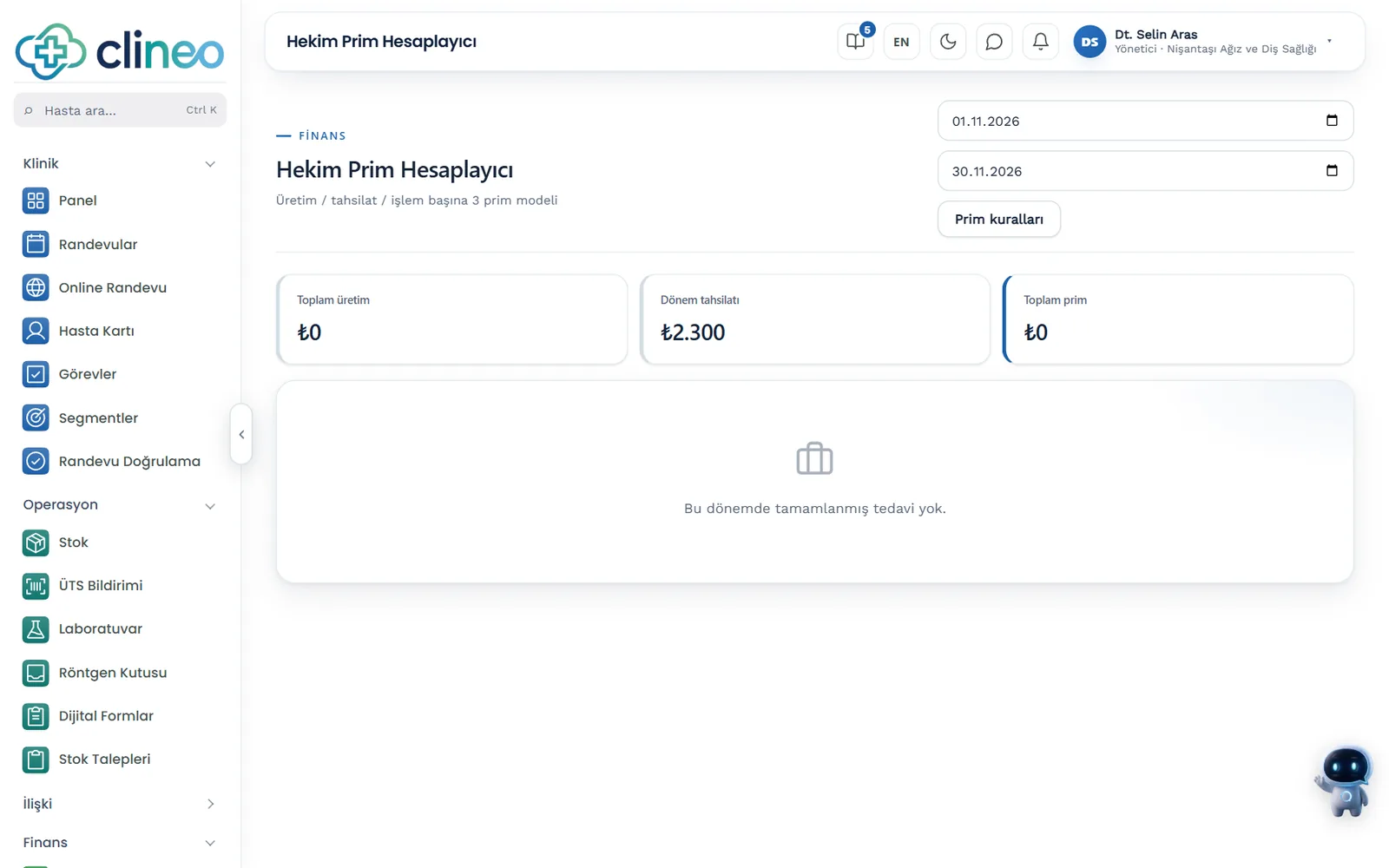
Calculate doctors' commission automatically with three methods. Pick the date range and see the per-doctor table.
Don’t spend hours on spreadsheets
Let commissions calculate themselves from treatment and payment data. Percentage, per-procedure or collection-based — you choose the method.
Familiar problems
When commissions are calculated by hand, hours are lost and how the figure was reached gets debated.
Month end requires hours of spreadsheet work.
When you can’t show how the commission was reached, trust suffers.
Percentage, procedure or collection — everyone understands it differently.
What changes
You pay the same commission; the system does the calculation.
Hours go at month end.
Automatic calculation — Commission comes straight from treatment and payment data; you only pick the date range.
Objections come in.
Per-doctor table — Each doctor's production, treatment count, payment share, model and commission sit on one row; the figure is based on data.
Everyone understands it differently.
Three clear methods — You choose percentage, per-procedure or collection basis; the rule is clear from the start.
Why Clineo
Commission calculation uses the same data as treatments, payments and reports.
Percentage, per-procedure or collection-based calculation.
Commissions come straight from the data.
See each doctor’s production separately.
Production, treatments, payment share and commission on one row.
Choose any period with two dates.
The figure comes from the records in the system.
How it works
Commission calculation uses the same data as treatments, payments and reports.
Set a percentage, per-procedure or collection basis.
Treatments and payments are gathered automatically.
The calculation comes out per doctor.
Include the commission in staff payroll if you want.
Works together with
Commissions are built on production and payment data.
payment data feeds the commission calculation
production comes from treatment records
see the per-doctor breakdown in reports
record the calculated commission as an expense
set who sees what
AI assistant
Say "Dr. Selin'in cirosu" (Dr. Selin's revenue) and Neo gives this month's treatment production; this figure isn't money collected. The commission method and rate stay up to the clinic's policy.
Where to start
First settle the method: percentage, per treatment or based on collections. This is clinic policy and something to agree with doctors from the start. Once the method is set, the calculation comes straight from the data. Going through the first month's table with the doctor makes the following months' conversations easier.
FAQ
Can’t find your answer? Open the demo and try it yourself. If you get stuck, the user guide is at hand.
Open the demoReady when you are
Open the demo and try Clineo in your own clinic flow. Your account opens right away, free for 14 days.