The plan isn’t written down
How many sessions, in what order — it all stays in conversation. The patient remembers differently on their second visit.

Features
The 41 features in our plans plus the core modules included in every plan. All of them work on the same patient record.
All featuresSpecialties
Appointments, patient record and finance are the same in every specialty. The examination screen adapts to yours.
All specialtiesClineo Lab
Turn the case sent by a clinic into a work order, follow production on a board and manage each clinic’s account in one place.
Dental lab softwareResources
Articles on regulations, switching systems and day-to-day operations.
All articlesTreatment Planning
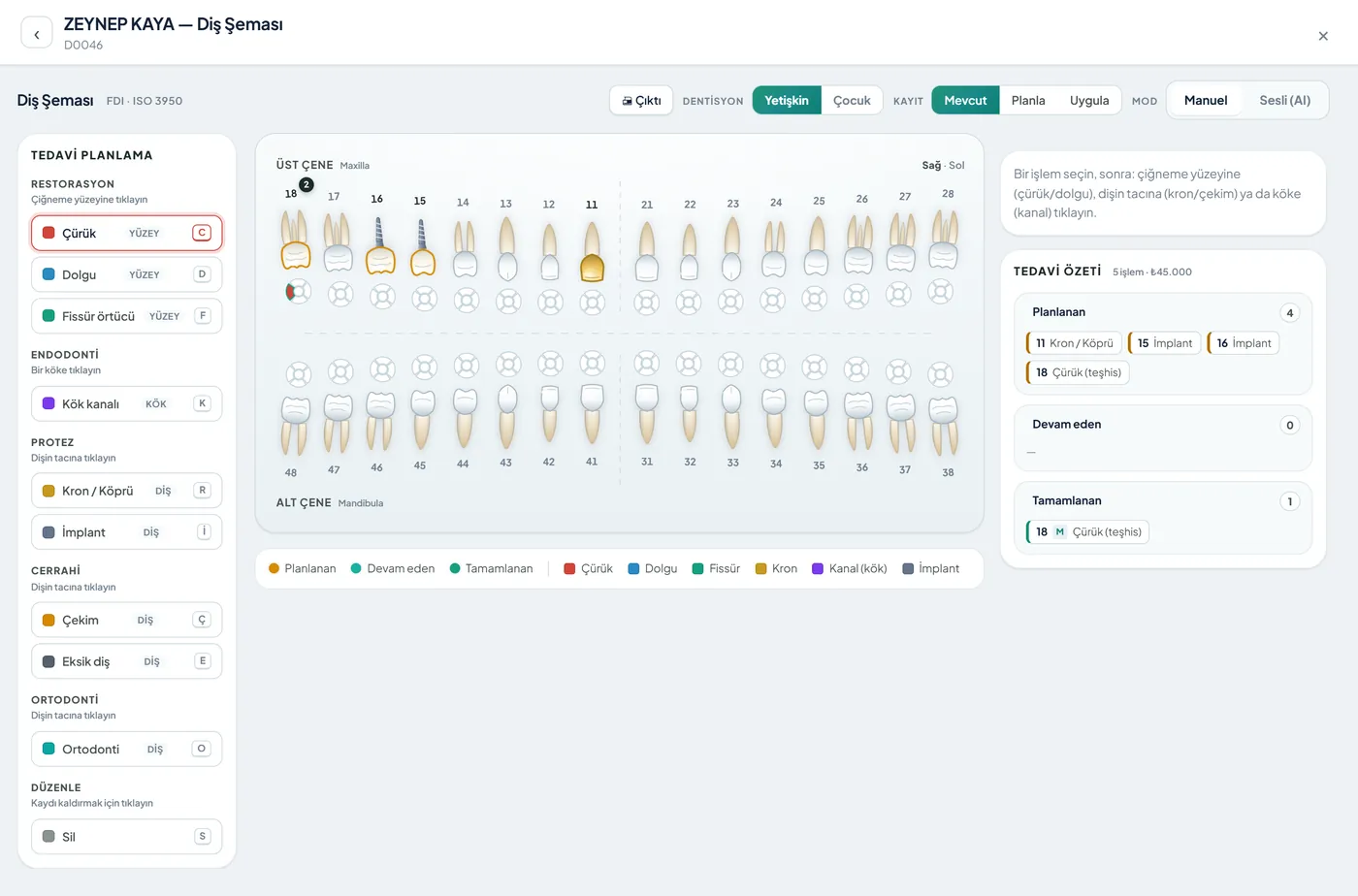
Draw a clear treatment path for every patient. Keep steps, statuses and cost in one place; both you and the patient know where you stand.
From plan to practice
Split the treatment into steps and mark each step’s status. Completed, pending and planned procedures are visible at a glance.
Familiar problems
The treatment plan is clear when discussed; a few weeks later it blurs for both the patient and the team.
How many sessions, in what order — it all stays in conversation. The patient remembers differently on their second visit.
Finding where you left off in an ongoing treatment means digging through files.
When the total isn’t written down at the start, disagreements arise at payment.
What changes
You already build the plan; what changes is that everyone sees the same plan.
Patient and team remember different things.
A written treatment plan — Steps are recorded in order. The patient sees what will be done and the team reads the same plan.
Which session was done is unclear.
Step-by-step status — Completed and pending steps are marked. Where you left off is clear at a glance.
Surprises come up at payment.
Plan and amount together — The plan’s amount is clear from the start; you can split it into instalments. The remaining balance stays visible.
Why Clineo
The treatment plan moves together with finance and the patient card.
Plan treatment procedure by procedure and follow their order and status.
Each step’s fee and the total plan amount are clear from the start.
Print or share the plan; the patient approves seeing what will be done.
Separate completed, ongoing and planned steps by colour.
Several doctors work in harmony on the same plan.
Treatment steps move together with instalments and payments.
How it works
The treatment plan shares the same data with appointments, payments and the patient card.
Split the treatment into steps and enter the fees.
Share or print the plan and get approval.
Mark the step you’ve done as completed.
Track remaining steps and payments.
Works together with
The treatment plan sits in the middle of the patient journey and connects in both directions.
the plan sits on the patient card with the history
the plan amount links to payments and instalments
take consent for the planned procedure
spread sessions across the calendar
set the check-up time when treatment ends
AI assistant
When you say "open this patient’s treatment plan", Neo goes to the relevant screen. For actions that change the plan, Neo shows an approval card; nothing is written to the patient file without your approval.
New · 24 September
In dentistry, charting is much finer than the tooth level.
You mark surfaces such as mesial, occlusal and distal separately, including the cervical area.
On multi-rooted teeth, the root and canal (e.g. MB1, MB2) are selected separately; the apical finding sits in its own place.
Each unit of a bridge is marked as an abutment or a pontic.
Bridge, root canal retreatment, post, resection, fracture, root fracture, resorption and lesion.
A voice command first creates a draft; it’s recorded once you approve.
FAQ
If your answer isn’t here, you can ask us directly in the demo call.
Ask in the demoReady when you are
Let’s plan a short walkthrough for your specialty so you can see this feature in your own clinic workflow.