Payments are kept somewhere else
Payments in a notebook, treatment in the software. When the two don’t match, nobody is clear on the remaining debt.

Features
The 41 features in our plans plus the core modules included in every plan. All of them work on the same patient record.
All featuresSpecialties
Appointments, patient record and finance are the same in every specialty. The examination screen adapts to yours.
All specialtiesClineo Lab
Turn the case sent by a clinic into a work order, follow production on a board and manage each clinic’s account in one place.
Dental lab softwareResources
Articles on regulations, switching systems and day-to-day operations.
All articlesAccounting
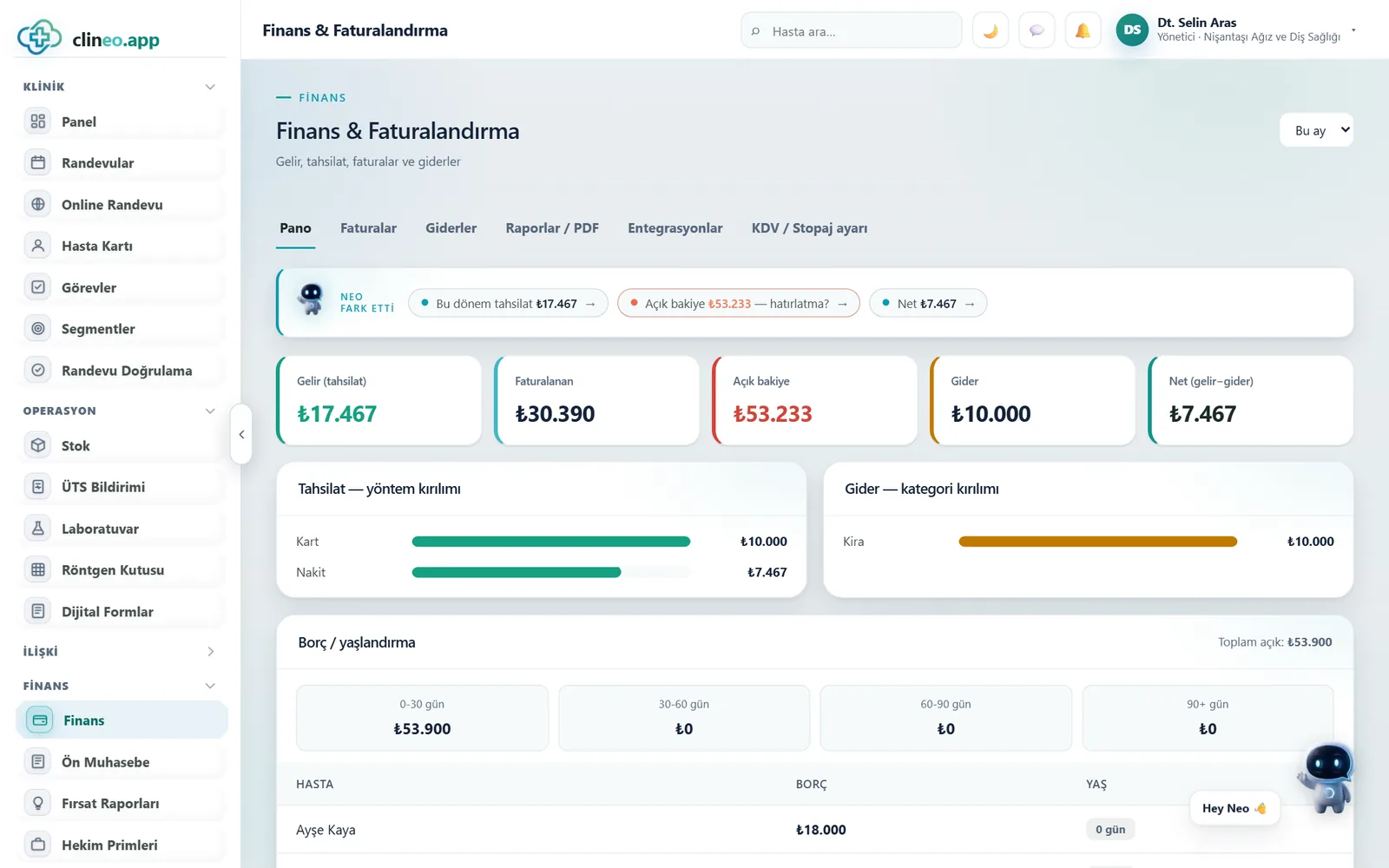
Cash, bank, accounts, income and expenses, cheques and promissory notes — all together. See your clinic’s cash flow and receivables and payables at any moment.
Don’t drown in bookkeeping
Record income and expenses, track accounts and don’t miss cheque and note due dates. No more guessing at month end.
Familiar problems
If the clinic’s turnover is known but what’s left in the till isn’t, the problem is usually scattered records.
Payments in a notebook, treatment in the software. When the two don’t match, nobody is clear on the remaining debt.
Who hasn’t paid which instalment is noticed when the patient comes in; talking about it then is awkward too.
Income is known, expenses are scattered. At month end profit is discussed by guesswork.
What changes
You collect the same payments; seeing where you stand gets easier.
You have to look in two places to work out the balance.
Treatment and payment on one card — What was paid for which treatment and what remains sit side by side on the patient card.
An overdue instalment slips through.
Visible payment plan — Instalment dates are recorded; you read what’s due and overdue from a list.
Profit is discussed by guesswork.
Income and expenses in one place — Cash, bank and account movements sit together. At period end the figure is ready.
Why Clineo
Accounting shares the same data with payments, invoices and expense records.
Track cash and bank accounts separately.
Track patient, supplier and institution balances.
See the month’s income and expenses item by item.
See upcoming due dates in advance and don’t miss them.
Keep every movement with a description and document.
Measure the income–expense balance and your cash.
How it works
Accounting shares the same data with payments, invoices and expense records.
Add cash, bank and account records.
Record income, expenses and payments.
Track cheques, notes and debts.
Report cash flow and balances.
Works together with
Accounting is fed by the records on the clinic side. There’s no need to enter data by hand.
the treatment amount links directly to the payment plan
take payments with an online payment link
run invoicing through a compliant provider
manage recurring expenses and the payment calendar
take performance and commission figures from the production record
AI assistant
When you ask "what does this patient still owe" or "how much have we collected this month", Neo gives the answer. On financial records Neo only reads; actions such as changing an amount proceed with your approval.
New · 23 September
Tax settings now work at the procedure and patient level.
Each treatment item gets its own VAT rate or exemption.
The withholding amount is calculated; paying it to the tax office is recorded as settling a liability, not as an expense.
For card payments the bank fee is tracked separately; the net amount collected shows correctly.
Daily and monthly reports are cut on Turkey time; a transaction near midnight doesn’t fall on the wrong day.
FAQ
If your answer isn’t here, you can ask us directly in the demo call.
Ask in the demoReady when you are
Let’s plan a short walkthrough for your specialty so you can see this feature in your own clinic workflow.