
For private practices and multi-doctor clinics
Clinic management software: your clinic’s whole day in one calendar.
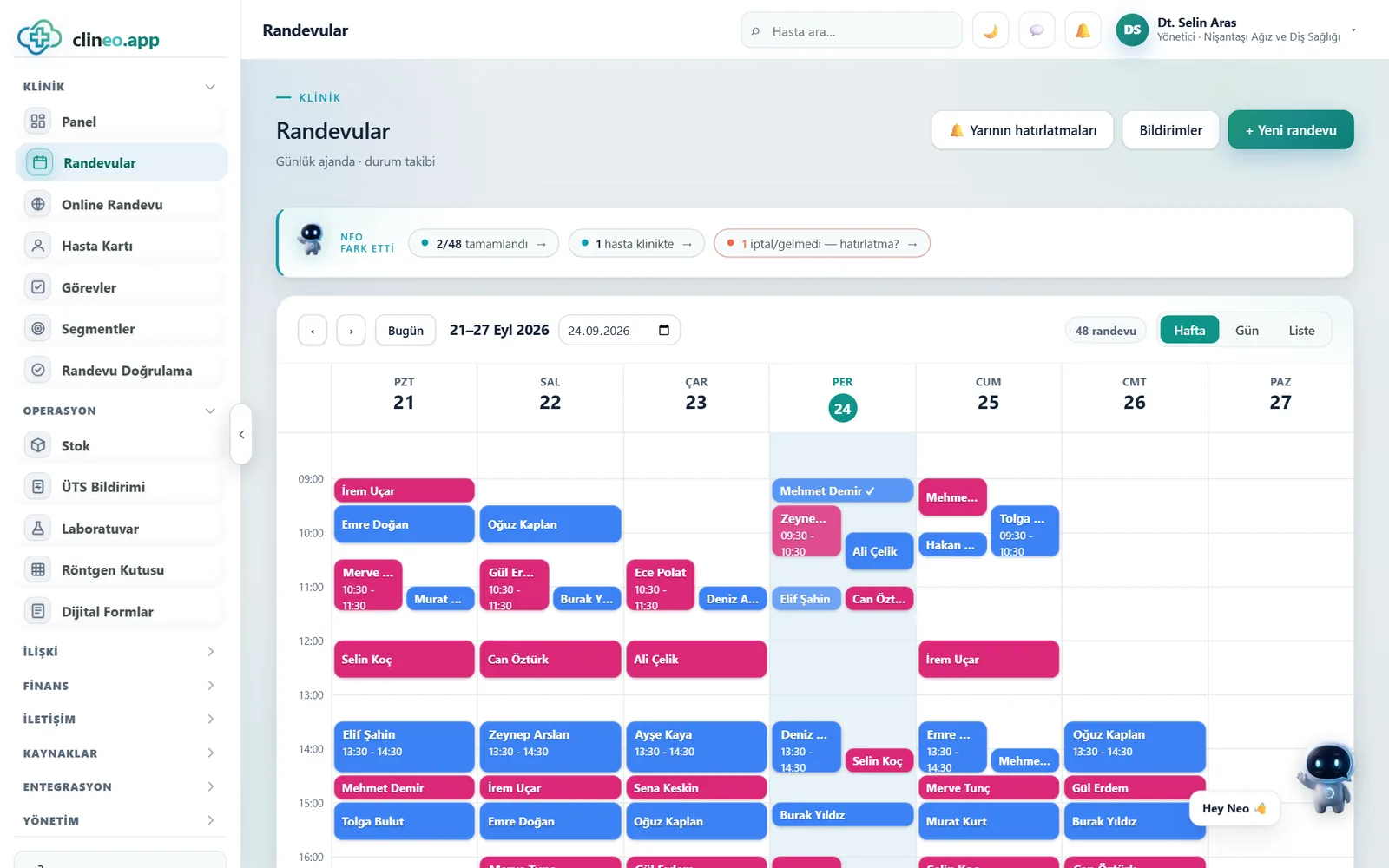
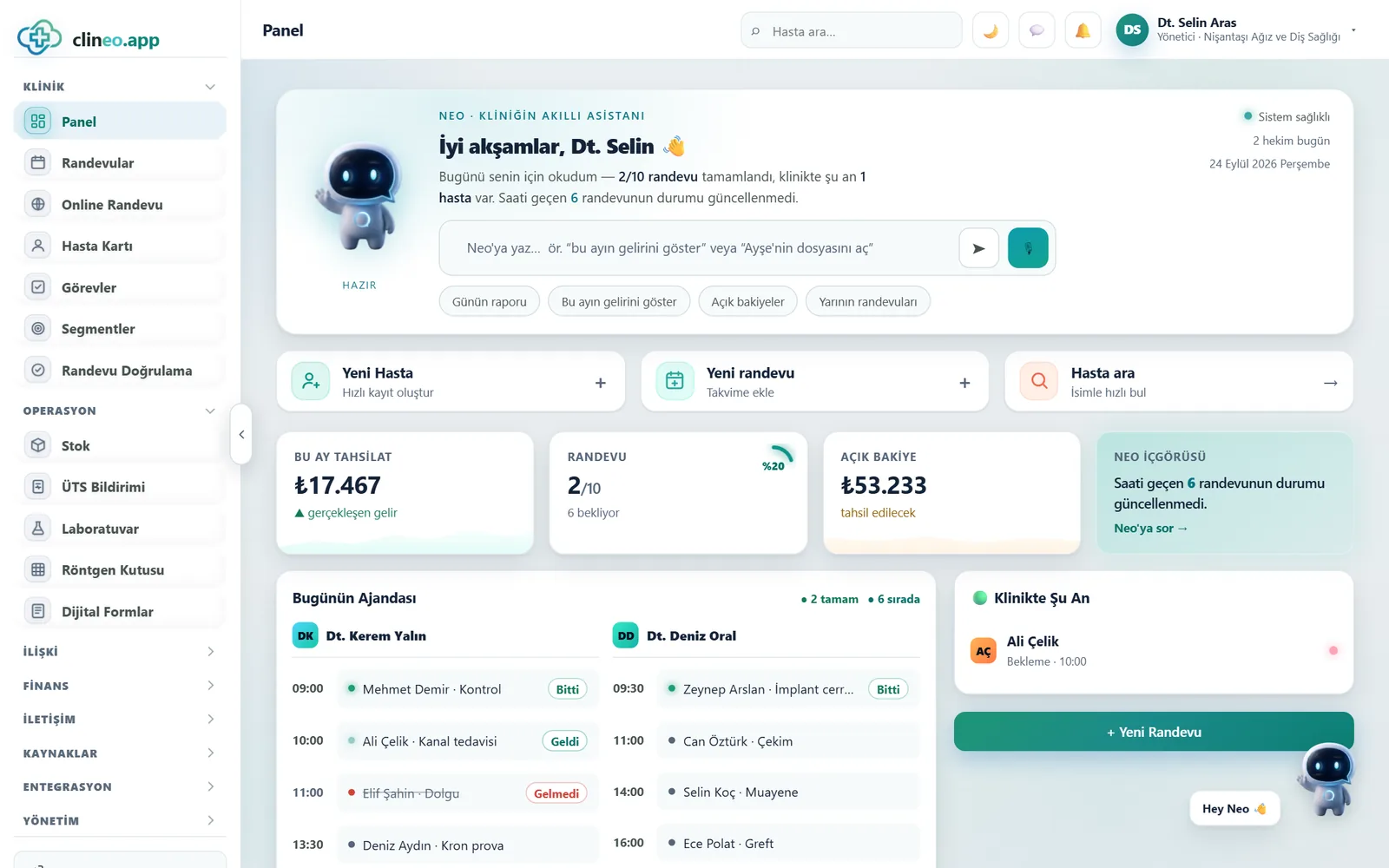
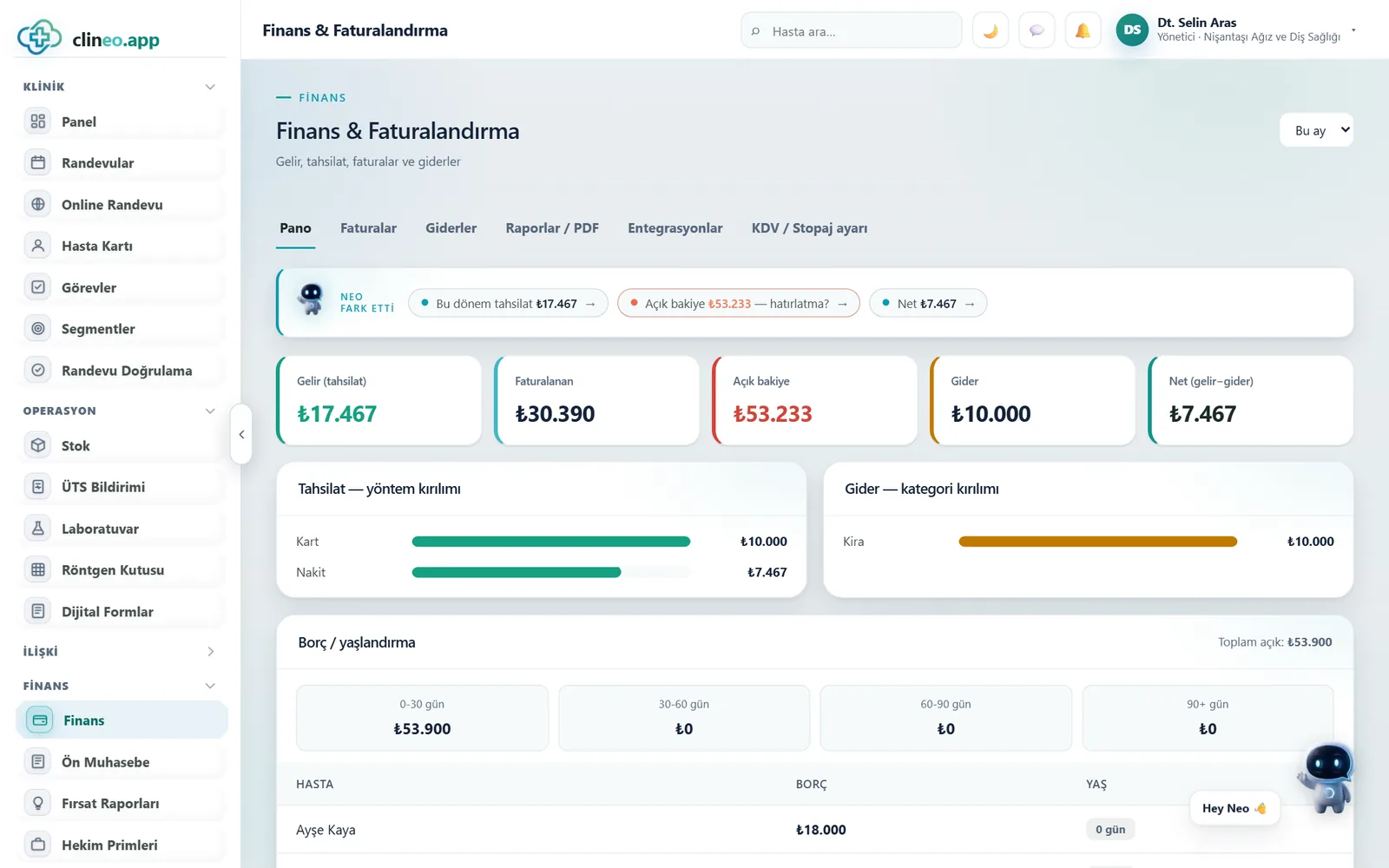
Appointments, patient record, treatment plan and payments meet in the same record. The front desk books the appointment, the doctor works in the exam room, and in the evening the cash desk closes on one screen.
14-day free trial · No installation · Plans from ₺1,200/month (+VAT, billed yearly)
A day at the clinic
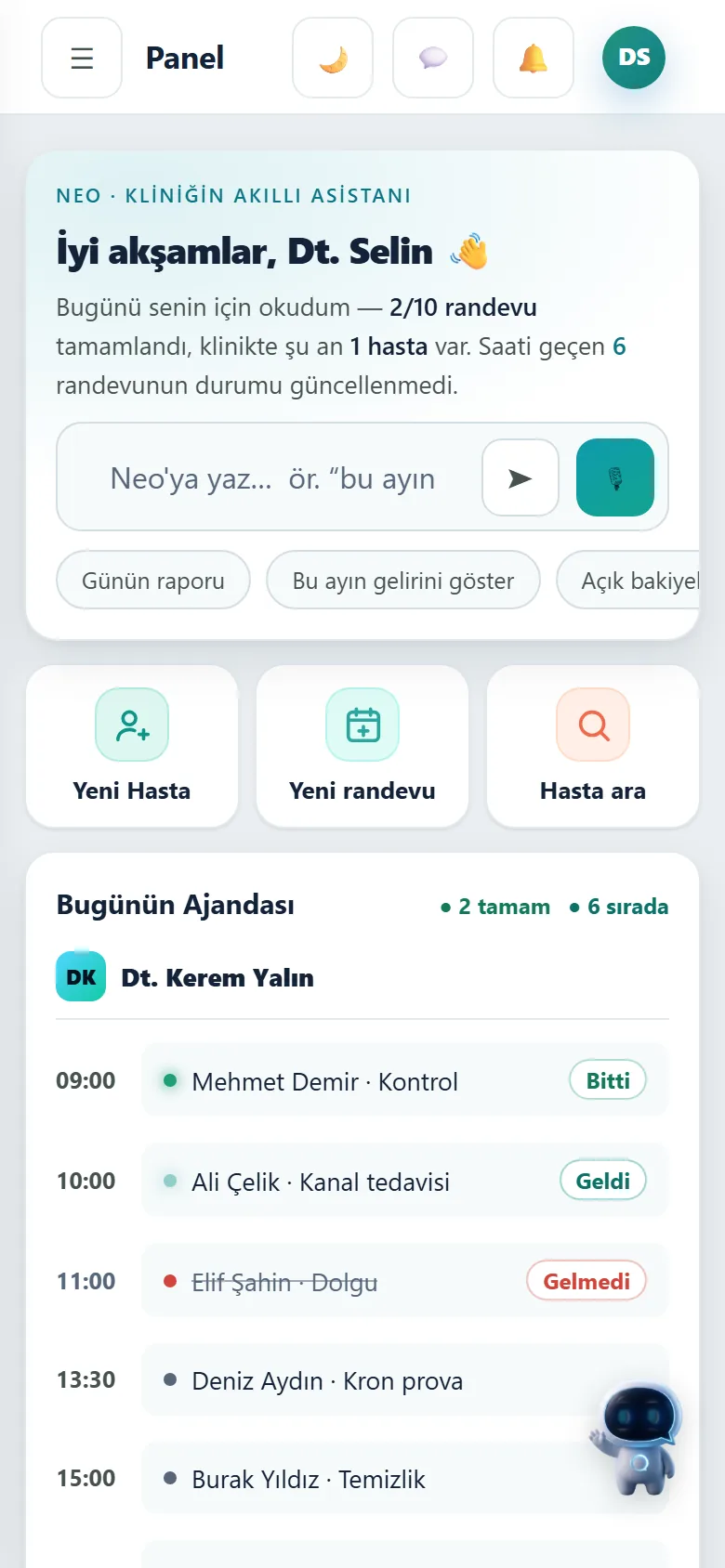
From the morning calendar to the evening cash-up, in one system.
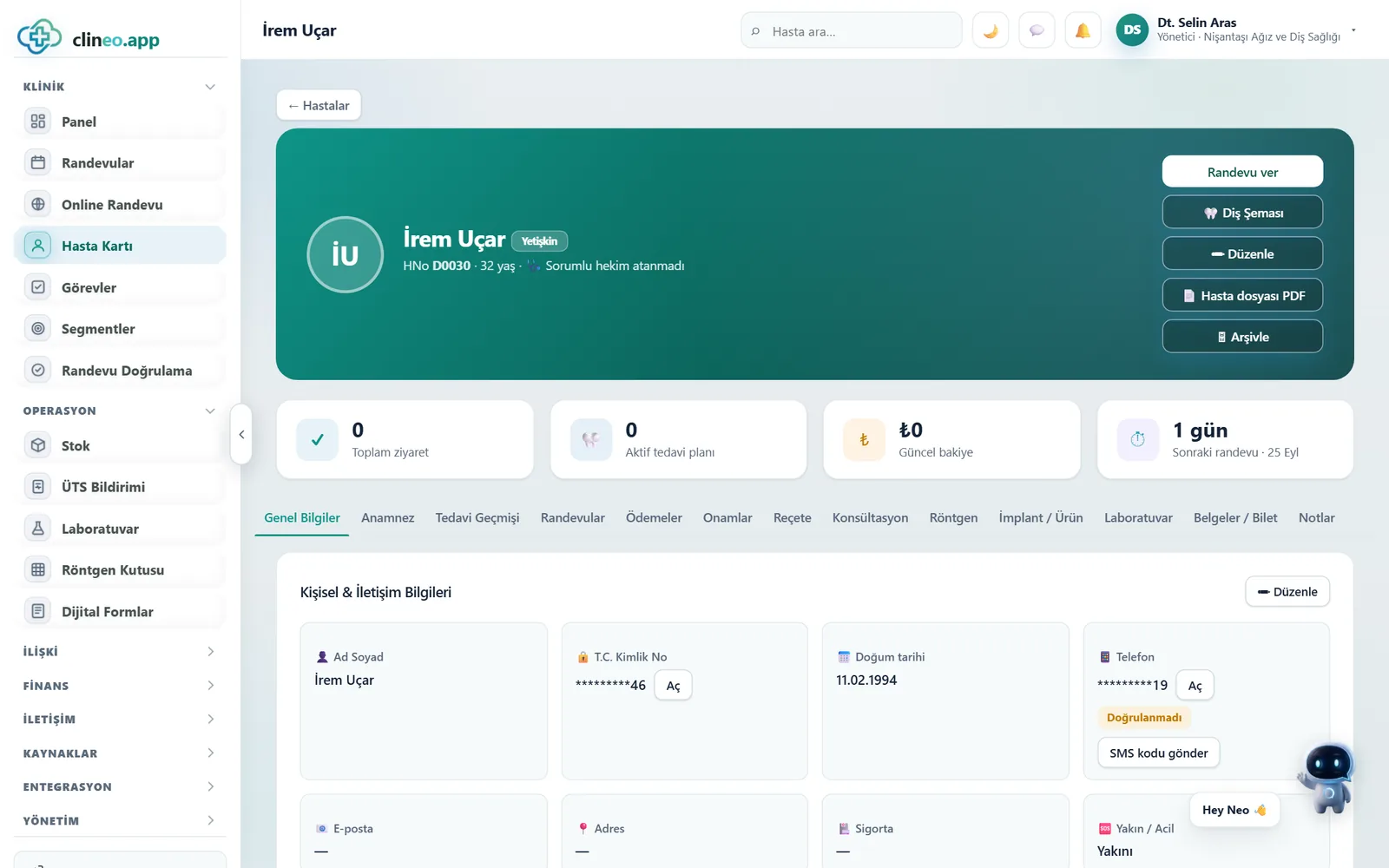
The screens below are from the current version of Clineo. Patient names are examples.
Feature catalog
Patient management software: one patient record instead of separate programs.
A note added to the appointment shows up in the exam, a treatment added in the exam shows up on the invoice, and the invoice amount shows up at the cash desk. Each feature lists the plan it belongs to.
Patients and appointments
Clinical records
Finance and inventory
Specialties
Clinic software from solo practice to multi-doctor clinic, in your specialty’s language.
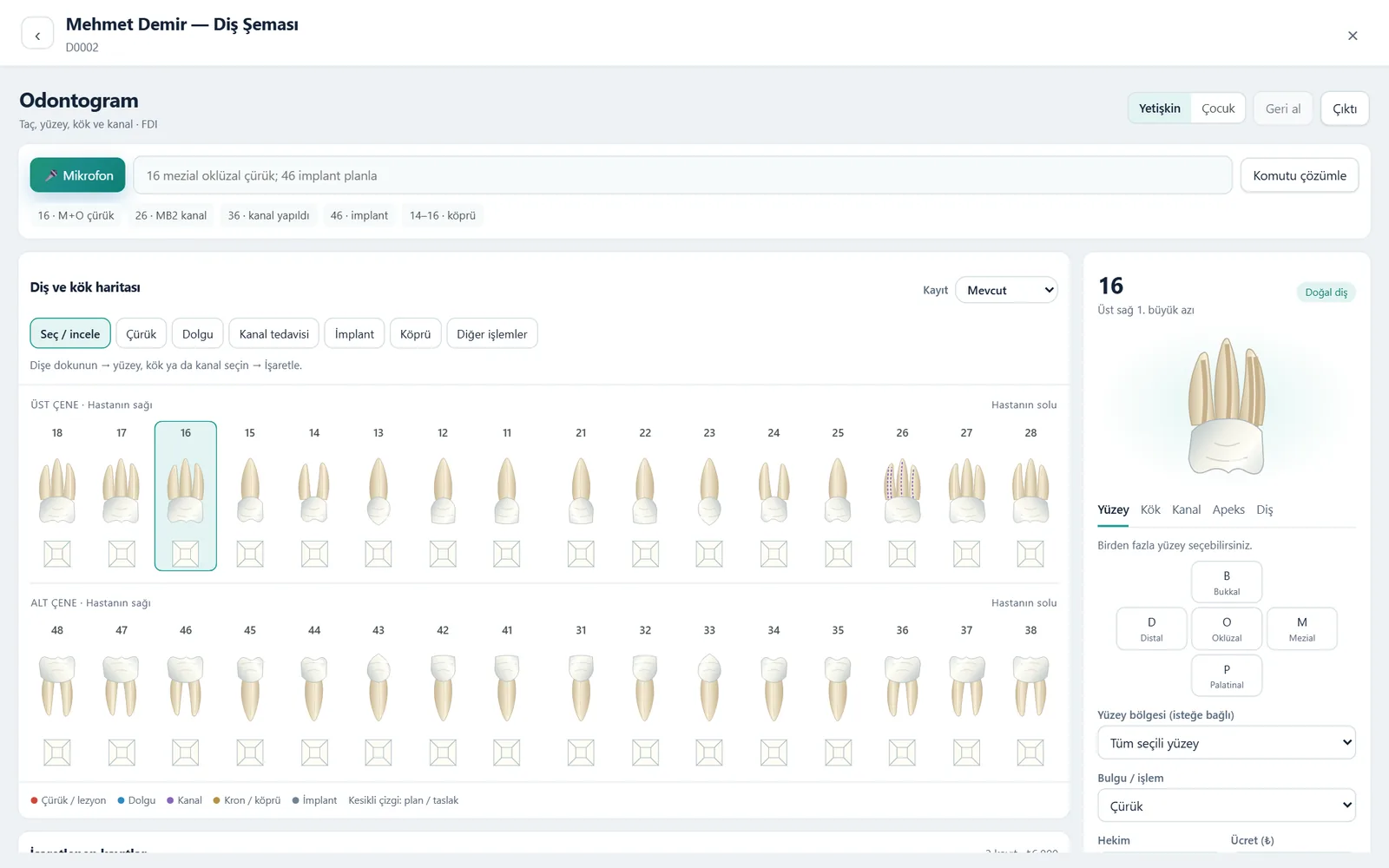
Appointments, patient record and cash desk are the same in every specialty. The examination screen changes with the specialty: dentists work with an odontogram, dietitians with diet plans, psychologists with session notes.
| Specialty | Specialty-specific screen |
|---|---|
| Dentistry | Odontogram (surface, root, canal), implants and lots, lab cases |
| Psychology | Session tracking, notes only the therapist can see, scales and homework |
| Psychiatry | Examination notes, medication and dose tracking, private clinical notes |
| Dietitian | Diet plan templates, sent to the client by link |
| Aesthetics and dermatology | Before-and-after photo tracking, session plans |
| Physiotherapy | Session plans and assessment records |
Neo assistant
Ask instead of searching the menu.
Neo is the assistant built into Clineo. It opens the right screen and finds the right record from the sentence you type or say. Neo currently understands commands in Turkish.
- Opens patient filesSay “open Mehmet Demir’s file” and it brings up the right patient. If there’s a similar name, it asks which one you mean.
- Asks for confirmation before changing recordsActions like booking an appointment or recording a payment are never saved without your approval.
- Works by voiceWhen your hands are busy at the dental chart, you can chart by speaking.
Security and KVKK
Patient data is health data.
It’s always clear who viewed and changed which record. Sensitive fields are stored encrypted and shown masked on screen.
Roles and permissions
Doctors, front desk, nurses and lab managers work with separate permissions. The clinic administrator sets them.
Encrypted sensitive fields
National ID number, phone and passport are stored encrypted. Every time one is revealed, it is logged.
Two-step login
After your password, a one-time code sent to your email is required.
Audit log
For patient records, treatments and payments, who did what and when is recorded.
Isolation between clinics
Each clinic’s data is accessible only to that clinic’s users.
Automatic backups
The database is backed up regularly. Setup and backups don’t depend on your computer.
Getting started
On day one, you register your first patient.
No server, installation or dedicated computer needed. Sign in from a browser or your phone.
Your account is opened
Your 14-day free trial account is set up for your specialty.
You add your team
Add doctors, front desk and assistants, and choose what each of them can see.
You register your patients
Hold the ID card up to the camera and the details fill the form. For your Excel list, a migration guide is ready.
Pricing
Clinic management software pricing that fits a private practice and a multi-doctor clinic alike.
Prices are monthly equivalents; payment is taken yearly. VAT is not included.
Clineo Soft
An organized start with appointments, patient records and the cash desk.
per month + VAT · billed yearly
- Calendar, reminders and patient files
- Treatment plans and consent forms
- e-Invoice and basic reports
- Free support and backups
Clineo Smart
Your clinic’s entire workflow, with Neo, accounting and inventory.
per month + VAT · billed yearly
- Everything in Soft
- Neo assistant and voice dental charting
- Accounting, inventory and doctor commission
- Online booking and video consultation
Clineo Enterprise
For multi-branch, high-volume organizations.
priced to your needs
- Everything in Smart
- API, Zapier and Make integration
- IP restriction and custom reports
- A dedicated account manager
Does it need to be installed on a computer?
No. Clineo runs in the cloud; you go to clineo.app in your browser. On a phone you can add it to your home screen and use it like an app. Updates arrive automatically.
How does the trial work?
You use it free for 14 days. At the end, you pick a plan and continue with the same data.
Is payment monthly or yearly?
Prices are shown as monthly equivalents; payment is taken yearly. Prices do not include VAT.
Can we work with more than one doctor?
Yes. Each doctor has their own column in the calendar; treatments and appointments are recorded under the doctor they belong to. For multi-branch organizations, the Enterprise plan is the right fit.
How are appointment reminders sent?
Through your clinic’s own SMS account (Netgsm) or a WhatsApp connection. The Appointment Confirmation screen shows which appointments were reminded and confirmed.
How is our data protected?
With role-based permissions, two-step login, an audit log and encrypted sensitive fields. Details are on the Security page.
Can we move the patients we keep in Excel?
The Excel migration guide walks you through it step by step. You can write to us with any questions during the move.
Let’s set up a day at your clinic in Clineo together.
In the demo call we show you the screens for your own specialty. After that, you can try it free for 14 days.