Documents are scattered
Consent is on paper, X-rays on the computer, photos on the phone. Seeing them all together isn’t possible.

Features
The 41 features in our plans plus the core modules included in every plan. All of them work on the same patient record.
All featuresSpecialties
Appointments, patient record and finance are the same in every specialty. The examination screen adapts to yours.
All specialtiesClineo Lab
Turn the case sent by a clinic into a work order, follow production on a board and manage each clinic’s account in one place.
Dental lab softwareResources
Articles on regulations, switching systems and day-to-day operations.
All articlesPatient Files and Media
Documents, X-rays, photos and notes on one patient record. Find what you’re looking for in seconds, not minutes.
No more mess
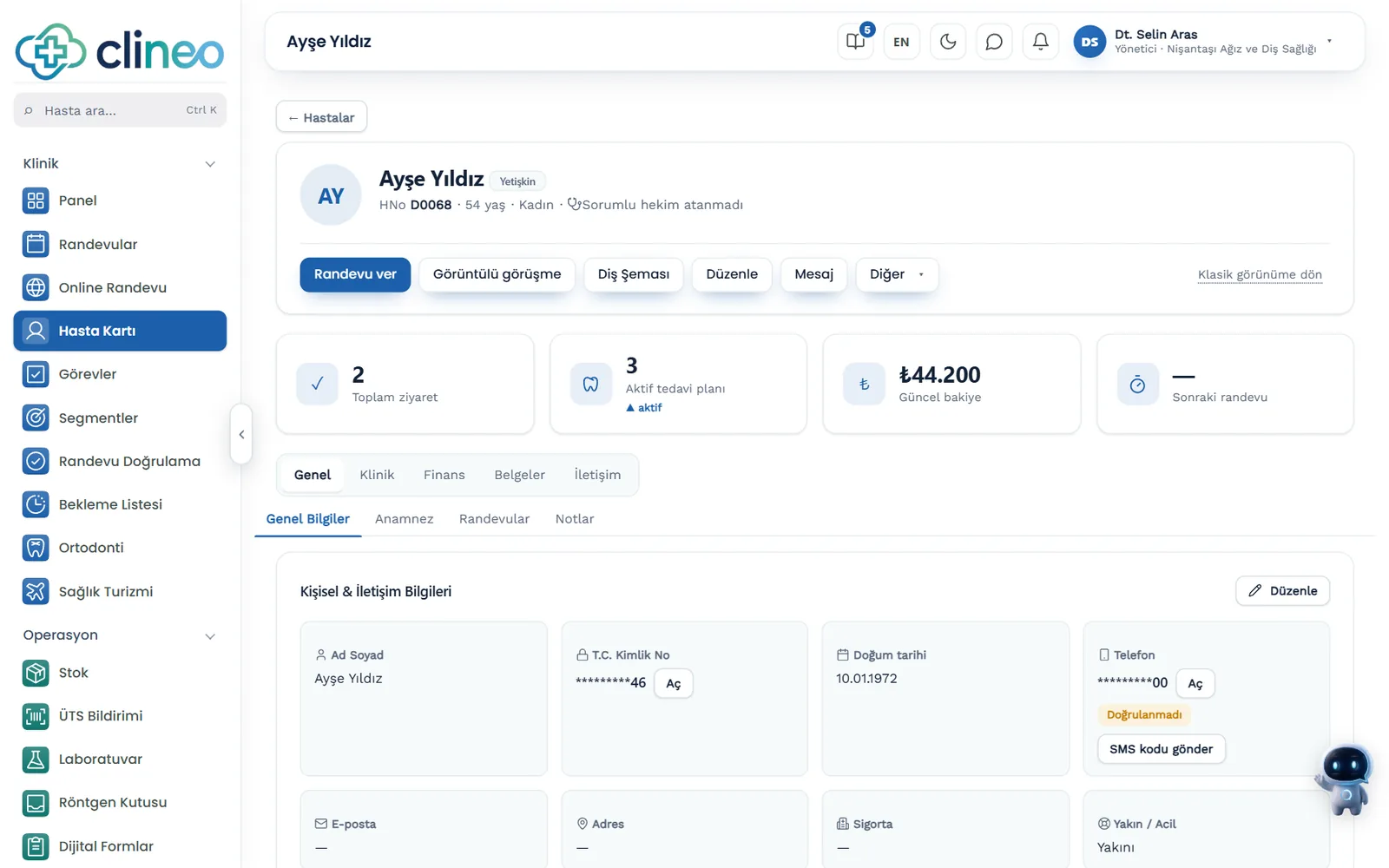
All of a patient's documents, images and notes in one place. Upload, choose the type, open from the record; the same order on any device.
Familiar problems
When documents, images and notes are scattered, you can’t find what you need while the patient is sitting in front of you.
Consent is on paper, X-rays on the computer, photos on the phone. Seeing them all together isn’t possible.
When was the patient’s previous procedure, which doctor saw them — finding the answer takes time.
Images are sent from personal phones; that’s not the right way for health data.
What changes
You keep the same documents; they all sit on one record.
Every search starts from scratch.
One patient record — Consent, X-rays, photos and notes come together on the same record. With the patient in front of you, one screen is enough.
The doctor taking over starts with incomplete information.
Chronological history — Which procedure was done when, shown in order. The team reads the same record.
Data leaves the clinic.
Permission-based access — Who can see the file depends on their role. Access is logged.
Why Clineo
Every file is recorded on the relevant patient record.
Documents, X-rays, photos and notes in the same patient file.
Store X-rays and clinical photos date by date.
Open the patient's record and the file is right there.
Access depends on permissions; sensitive data is protected.
Reach the same files on desktop and mobile.
Type and date keep the archive organized.
How it works
Every upload is recorded on the relevant patient record; your archive doesn’t scatter.
Add a document, X-ray or photo to the patient record.
Mark it as a document, report or ticket and give it a title.
Find the patient by name and open the file from the record.
When needed, download the file or get the patient file as a PDF.
Works together with
The patient record is the common ground for the clinic’s other modules.
plan and history are read on the same record
signed consent is recorded straight into the file
go from appointment to patient record in one click
completed forms are listed under the patient's name
share care content with the patient
AI assistant
Say "Ayşe Yılmaz'ın kartını aç" and Neo goes straight to that patient's file. No typing in the search box, no scrolling through lists. Neo answers questions about clinical notes, sessions and scales only for doctors and administrators.
New · 23 September
A record can be opened with a passport instead of a Turkish national ID number; the passport number is stored encrypted.
Tickets, consents and other documents are attached to the patient record as files; the file stays encrypted.
The patient’s record is exported as a PDF in one go; the finance section is visible only to those with permission.
FAQ
Can’t find your answer? Open the demo and try it yourself. If you get stuck, the user guide is at hand.
Open the demoReady when you are
Open the demo and try Clineo in your own clinic flow. Your account opens right away, free for 14 days.