Reminders are done by hand
On busy days the calling order slips. Who has and hasn’t been called isn’t tracked.

Features
The 41 features in our plans plus the core modules included in every plan. All of them work on the same patient record.
All featuresSpecialties
Appointments, patient record and finance are the same in every specialty. The examination screen adapts to yours.
All specialtiesClineo Lab
Turn the case sent by a clinic into a work order, follow production on a board and manage each clinic’s account in one place.
Dental lab softwareResources
Articles on regulations, switching systems and day-to-day operations.
All articlesAppointment Reminders
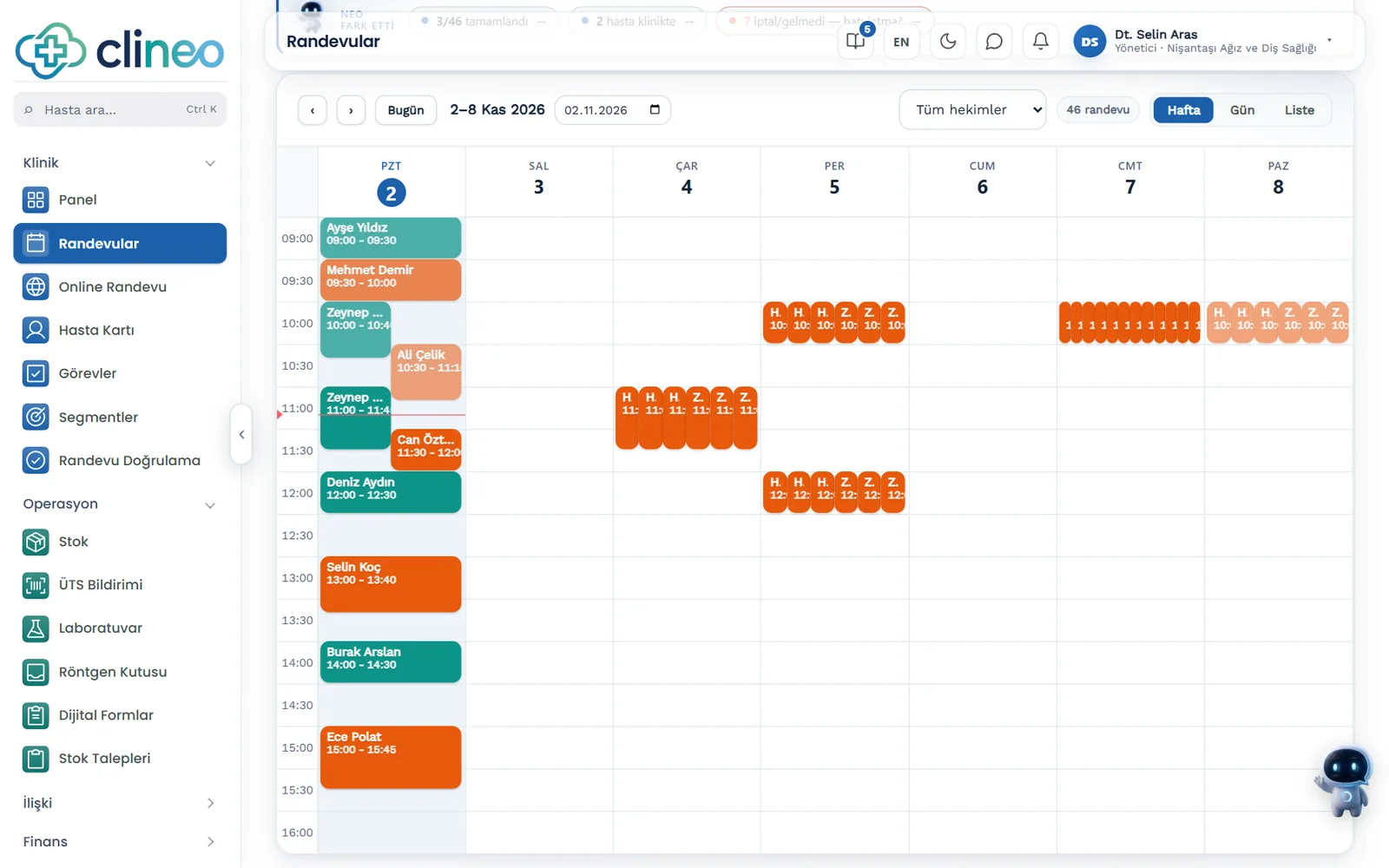
Send tomorrow’s reminders by SMS in one click, and message any patient on WhatsApp. Patients don’t forget and your calendar doesn’t go to waste.
You don’t want empty chairs
Press one button and the next 24 hours of appointments get an SMS. The patient confirms or cancels from the link in the message; you see the result on the calendar.
Familiar problems
Most patients who miss appointments haven’t given up; they’ve forgotten or couldn’t let you know.
On busy days the calling order slips. Who has and hasn’t been called isn’t tracked.
A patient who has to call the clinic to say they can’t come often doesn’t call at all.
When cancellation news arrives late in the day, there’s no time to fill that slot.
What changes
You no longer have to remember whether the reminder was done.
Time goes by and some patients are skipped.
Bulk reminders in one click — The “Tomorrow’s reminders” button finds appointments not yet reminded and sends the SMS. Who was informed stays on record.
A patient who doesn’t call is recorded as "no-show".
One-tap reply — The patient reports their status via the reminder. If they can’t come, the slot frees up early.
Gaps remain in the calendar.
Early news, a full calendar — Because the cancellation comes in early, you have time to call a patient waiting for that slot.
Why Clineo
The reminder list comes from the appointments on your calendar.
Send the SMS to the next 24 hours of appointments with one button.
Bulk sending goes by SMS; for a single patient, use WhatsApp with the message already written.
Let the patient tell you in advance if they can’t come.
You decide when it goes: it’s sent the moment you press the button.
Cut losses caused by forgetfulness.
The patient’s confirmation or cancellation shows on the calendar.
How it works
Press the button and reminders go out for the appointments on your calendar.
Tick SMS consent on the patient card; no SMS goes to patients without it.
A new appointment joins the list if it hasn’t been reminded yet.
Press “Tomorrow’s reminders” and the messages go out.
Follow confirmations and cancellations on the calendar.
Works together with
Reminders sit in the middle of the appointment flow. They work together with what comes before and after.
reminders are fed by the appointment in the calendar
approved online bookings join the reminder list too
the pre-visit confirmation step
a separate call for patients who haven’t come in a long time
see in the “SMS consent” list who can receive an SMS
AI assistant
Say "List no-show patients" and Neo brings up the last 30 days. You see who got a reminder under Notifications and who hasn’t replied under Appointment Verification, so you know who to call first.
New · 24 September
Reminders go out with your clinic’s approved sender name and your own credit.
Verify the patient’s phone with a single code, so you know from the start that the number is right.
Works well with
Recognizes the calling patient; the call is linked to the patient record.
In the app
Early enough for the patient to change plans, late enough not to forget. For morning appointments, the evening before works well.
The message sent: “Dear Ayşe Yılmaz, we remind you of your appointment at Sample Clinic on 15.11.2026 at 10:30. Doctor: Dr. Kaya. Confirm/cancel: link”
The patient says from the link in the message whether they will come; you give the freed-up slot to another patient. Appointment confirmation.
An appointment reminder is an informational message. If you want to announce a discount or a campaign, you need an İYS record and the patient's consent.
New · 29 October
SMS, WhatsApp or email for a new appointment, a cancellation, a no-show, a birthday, a patient who has not visited for a while or one with an outstanding balance.
Rules start switched off. With “Test without sending” you see who would have received what over the last 30 days. Patients without consent receive nothing.
FAQ
Can’t find your answer? Open the demo and try it yourself. If you get stuck, the user guide is at hand.
Open the demoReady when you are
Open the demo and try Clineo in your own clinic flow. Your account opens right away, free for 14 days.